Desktop · Chrome, Edge, Brave
Download .zip- Unzip the download.
- Open
chrome://extensions(oredge://extensions). - Turn on Developer mode.
- Click Load unpacked and pick the unzipped folder.
- Open x.com. The radar shows under every post.
Extension for X
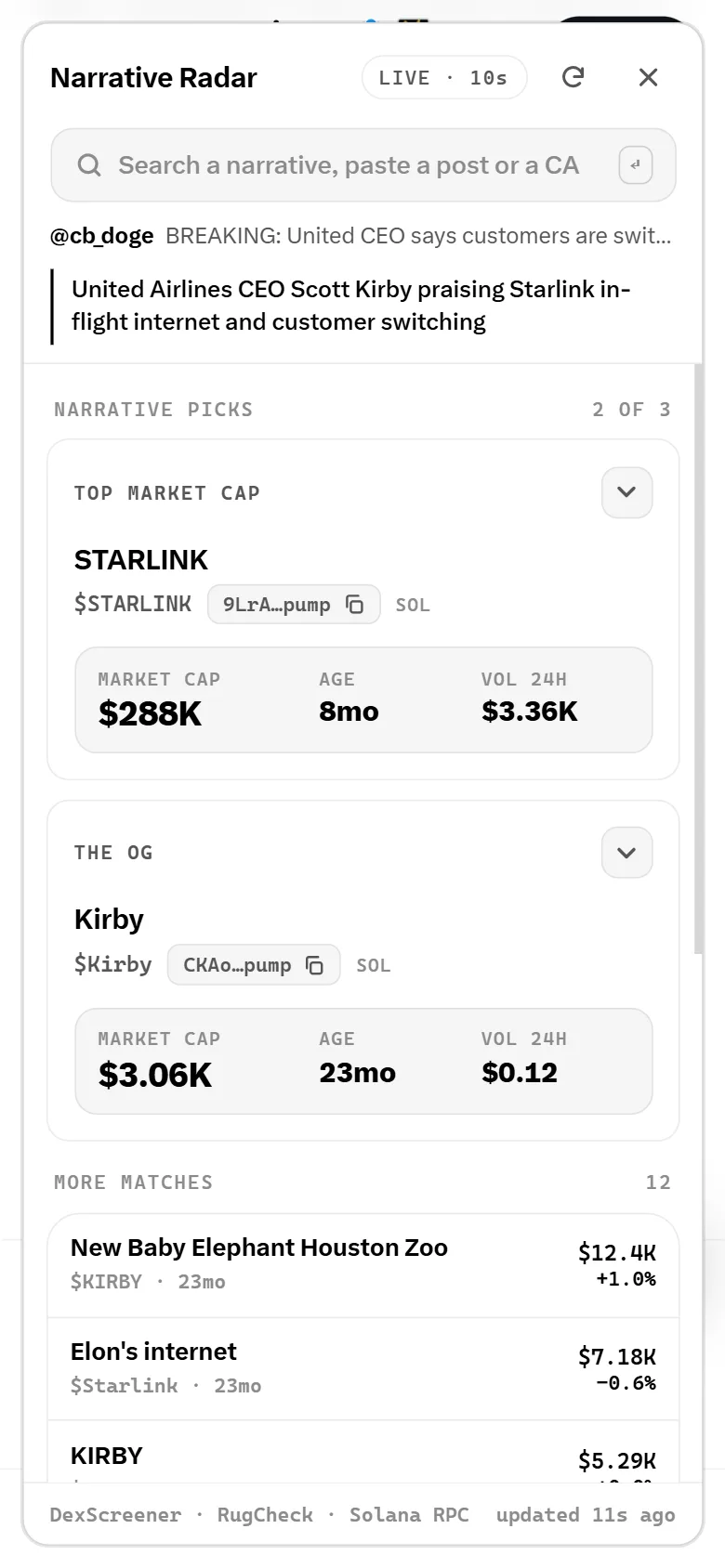
Tap the radar under a post on X. See the top coin, the OG and the mover on its narrative, with live stats and how much of the supply was bundled.
Works on desktop Chrome and Edge, and on Android.
Desktop · Chrome, Edge, Brave
Download .zipchrome://extensions (or edge://extensions).Android
Download .crxiPhone
Coming soon
iPhones only allow extensions from a store. Once Narrative Radar is on the Chrome Web Store, it installs in the Orion browser.
Text, the author, replies, quotes, photos and video. It names the story, not the words.
The biggest coin on the story, the first one launched, and the one moving now. Market cap, age and volume at a glance.
Read from the launch block: how much of the supply was bundled, how many wallets, what the dev bought and sold.
Copy the CA and open it on Axiom, Padre or Fomo. Bubblemaps is one tap away.
Real data only
Prices refresh every 10 seconds. Nothing is estimated or made up: if a number can't be read, it isn't shown.